You’ve built your Shopify store. Products are ready, everything looks good — and nothing happens. No traffic, no orders. Organic search takes months to kick in. So what do you do?
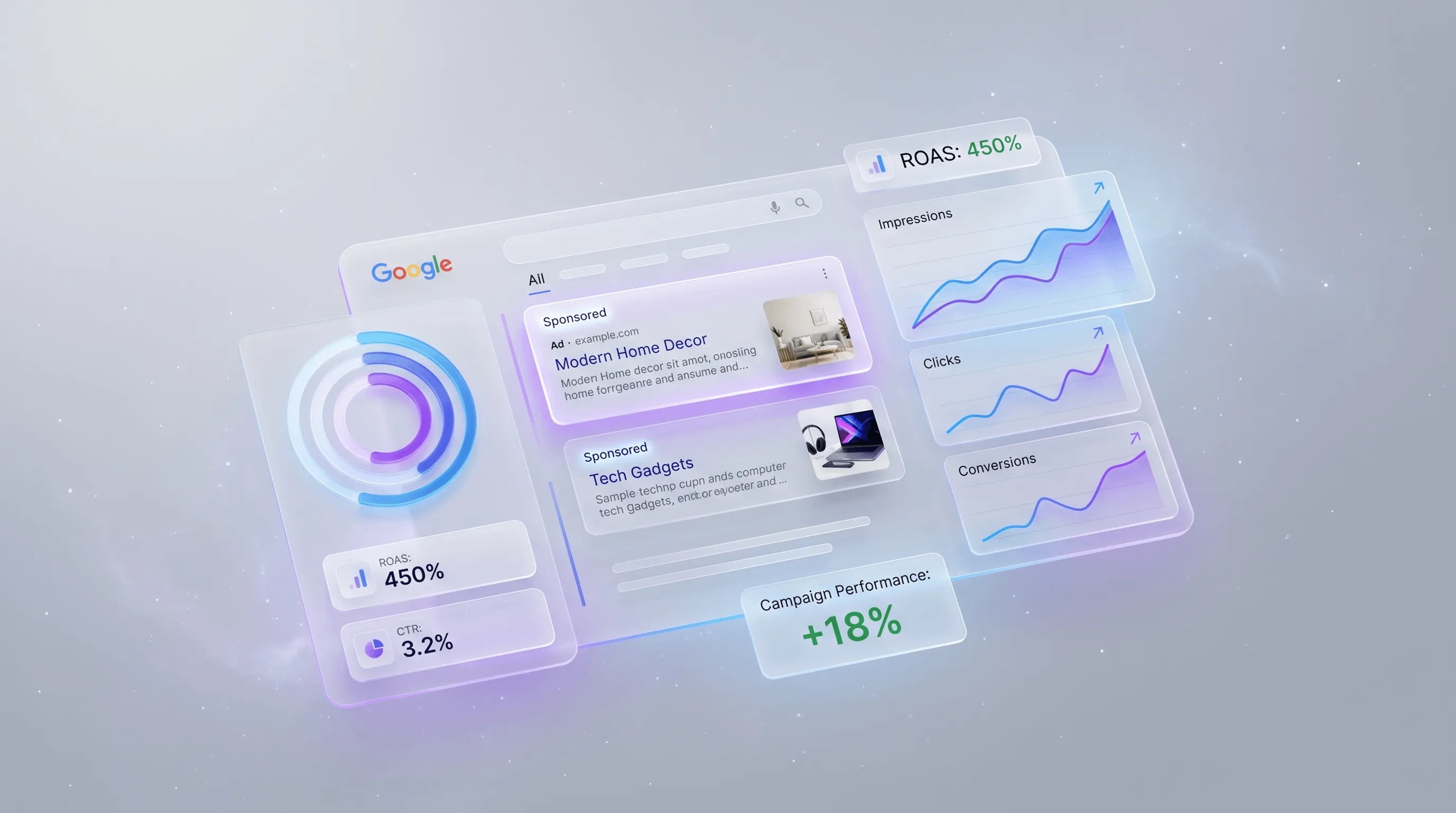
Search Engine Advertising (SEA) puts your ad at the top of search results within hours — right when someone is actively searching for what you sell. You control who sees it, when, and at what cost.
This isn’t a beginner’s glossary. It’s a practical guide for e-commerce operators who want concrete results. You’ll find: what changed in Google Ads for 2026, which campaign type fits which situation, how to use Shopify data to get more out of your campaigns, and where most budgets leak — plus how to stop it.
SEA in 2026: What’s Fundamentally Changed
Running SEA with a 2022 mindset burns money. Google Ads is now an AI-driven performance platform — and that changes how campaigns need to be built and managed.
AI Max for Search: The New Standard Layer
In May 2025, Google launched “AI Max for Search” — not a new campaign type, but an AI layer you add on top of existing search campaigns. In practice: your ads show up for related searches you haven’t explicitly added as keywords, based on context and purchase intent. Landingpage content feeds in as a signal, and traffic gets automatically routed to the most relevant page of your store — not necessarily the one you specified.
For Shopify stores: AI Max performs better the more conversion data you feed Google. Stores with clean purchase event tracking in place see the biggest gains.
Performance Max: The AI Operating System for Campaigns
Performance Max (PMax) has been Google’s dominant campaign type since 2023 — and in 2026 it’s the default for e-commerce. A single PMax campaign automatically runs across all Google channels simultaneously: Search, Shopping, Display, YouTube, Gmail, Maps.
What’s new in 2026: Asset-Level Reporting now shows which specific images, texts, and videos are driving which conversions. You can finally steer PMax with real data instead of flying blind.
Agentic Commerce: The Horizon
AI agents are starting to make purchase decisions on behalf of users. Google is already testing checkouts directly inside its own interface, without users ever visiting your store. Perplexity, ChatGPT, and Bing Copilot are surfacing shopping results directly in answers. Stores with solid conversion tracking and first-party data in place will be ready when this model becomes mainstream.
What Is SEA? The Basics
SEA, SEO, and SEM Defined
SEM (Search Engine Marketing) is the umbrella term for all activities that drive visibility in search engines. It covers two disciplines:
| SEA | SEO | |
|---|---|---|
| Stands for | Search Engine Advertising | Search Engine Optimization |
| Type | Paid ads | Organic results |
| Visibility | Immediate (hours) | Long-term (months) |
| Cost | Per click (CPC) | Time investment, no direct spend |
| Control | High (budget, audience, schedule) | Medium (algorithm-dependent) |
| Turn off | Immediately | Not directly possible |
| Data source | Your campaign data | Google Search Console |
SEA means running paid text ads in search engines. The core platform is Google Ads — roughly 90% market share in the US. Microsoft Advertising (Bing, ~6% share but strong B2B traffic) and TikTok Search Ads (launched 2025) round out the field.
How SEA Works: The Auction
Every search query triggers an auction in milliseconds. Your ad rank doesn’t depend solely on your bid — Quality Score counts just as much:
Ad Rank = CPC Bid × Quality Score + Ad Extensions
Quality Score (1–10) is based on three components:
- Expected click-through rate (CTR) — how likely are users to click your ad?
- Ad relevance — does your ad copy match the search query?
- Landing page experience — does the page load fast and deliver what the ad promises?
A high Quality Score means you can outrank a competitor who bids more.
When Does SEA Make Sense?
SEA is the right channel when you need immediate visibility (product launch, seasonal push), you’re in a competitive market where organic rankings take months, you know exactly who you’re targeting, and you have conversion tracking set up. Without tracking, SEA is guesswork. Your product also needs enough margin to cover CPCs.
SEA makes less sense when tracking isn’t in place yet, margins are under ~30% and CPCs are high, or when there’s no budget for at least 2–3 months of testing.
The 4 Campaign Types: What Works When
The most common mistake: defaulting to a search campaign because that’s what everyone does. In 2026, there are four relevant types — and which one fits depends on your goals and the data you already have.
1. Search Campaign
Text ads appear when users type specific queries. You control through keywords. Makes sense from $300–500/month, no historical data required — the right starting point for new stores, B2B services, and products with clear purchase intent.
2. Shopping Campaign (Standard Shopping)
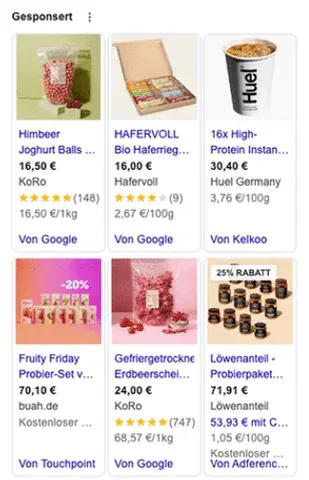
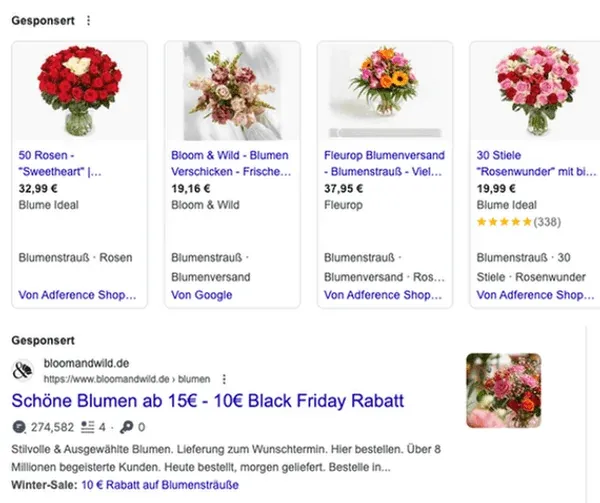
Product ads with image, price, and reviews directly in search results. Runs on a Google Merchant Center feed, not keywords. Built for physical products where users are comparing prices. Requires a maintained product feed; budget from $500/month.
3. Performance Max (PMax)
One campaign across all Google channels simultaneously. AI controls placements, bids, and audiences automatically. Recommended from $1,000/month and 30+ conversions/month — below that, the AI doesn’t have enough data to learn. Requires clean conversion tracking and complete asset packages (images, videos, copy).
4. AI Max for Search
Not a standalone campaign type — an upgrade for search campaigns, toggled on in campaign settings. Expands keyword matching semantically and uses landing page content as a signal. Good for stores with a wide product range looking to reduce manual keyword management. Same budget requirements as a standard search campaign.
Decision Matrix: Which Campaign for Which Store?
| Situation | Recommended Campaign Type |
|---|---|
| New store, first budget | Search Campaign (Manual CPC) |
| Physical products, price comparison | Shopping Campaign |
| 30+ conversions/month, scaling | Performance Max |
| B2B, high-ticket service | Search Campaign + Microsoft Ads |
| Wide product range, limited time | Performance Max + Search |
| Experienced store, keyword testing | AI Max for Search |
Setting Up Your First SEA Campaign: Step by Step
Step 1: Conversion Tracking First
Without solid conversion tracking, everything else is pointless. Google optimizes toward whatever you define as a “conversion” — configured wrong, the budget burns while the AI optimizes for the wrong events.
For Shopify stores:
- Link your Google Ads account to Google Analytics 4
- In Shopify under Settings → Apps, activate the Google & YouTube channel
- Connect GA4 to your Shopify store (via the Shopify Partner App or GTM)
- In Google Ads under Tools → Conversions, set the following as primary conversions:
- Purchase (most important — with dynamic revenue tracking)
- Add to cart (secondary, for bidding data)
- Do not set as primary conversions: page views, newsletter signups, blog clicks
The classic mistake: setting page views or sessions as the conversion event. Google then optimizes aggressively for traffic — click numbers climb, revenue stays flat.
Step 2: Keyword Research
Three types belong in every campaign:
Branded keywords — your brand name and product names. Low competition, high conversion rate, protects you from competitor ads on your own brand.
Generic keywords — the product category (e.g., “running shoes women,” “electric coffee grinder”). High search volume but also higher CPCs and more competition.
Long-tail keywords — specific queries with 3–5 words (e.g., “women’s running shoes wide fit,” “quiet electric coffee grinder apartment”). Lower volume, lower CPCs, higher purchase intent.
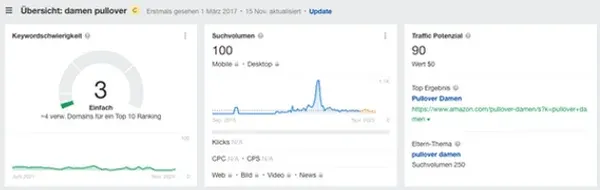
For research: the Google Keyword Planner (free, inside Google Ads) gives you search volumes and estimated CPCs. Google Search Console shows what users search before landing on your store. Ahrefs or SEMrush add competitor keywords and their estimated ad spend.
For starters: go with 10–15 long-tail keywords rather than 5 broad terms. Lower CPC, more precise audience, better Quality Scores.
Step 3: Campaign Structure
Clean structure is the foundation for good Quality Scores and low CPCs:
Account
 └── Campaign: [Product Category]
       └── Ad Group: [Specific Product/Topic]
             └── Keywords: [Tightly thematic]
             └── Ads: [3–4 variants per group]
             └── Landing Page: [Matches the ad group theme]
One ad group = one tight topic. Don’t dump all your products into one group.
Step 4: Writing Ad Copy
Google Ads uses Responsive Search Ads — you provide up to 15 headlines (max. 30 characters) and 4 descriptions (max. 90 characters), and Google tests combinations automatically.
What makes strong ad copy:
- Primary keyword in the first headline
- Clear USP: free shipping, 30-day returns, “ships same day”
- Numbers beat vague claims: “500+ models” beats “wide selection”
- A direct CTA: “Shop Now,” “Get a Free Quote,” “Configure Yours”
- Enable ad extensions: sitelinks, callouts, structured snippets, price extensions
Step 5: Audiences and Targeting
Four targeting parameters matter for e-commerce: location (nationwide or regional, based on your shipping area), devices (reduce mobile bids if mobile converts worse — typically -20%), schedule (weight heavier during peak hours, for most stores Mon–Fri 9am–9pm), and audiences as observation (remarketing lists, similar audiences, in-market segments).
Step 6: Choosing a Bid Strategy
| Bid Strategy | When to Use | Requirement |
|---|---|---|
| Manual CPC | New campaign, little data | None |
| Maximize Clicks | Build traffic, exhaust budget | None |
| Target CPA | Stable campaign, optimize costs | 30+ conversions/month |
| Target ROAS | Maximize revenue, maintain efficiency | 50+ conversions/month |
| Maximize Conversions | Fast data collection | Conversion tracking |
Start with Manual CPC for the first 4–6 weeks. Collect data, then switch to Target CPA or Target ROAS.
Budget Guide: What Does SEA Actually Cost?
The most common misconception: “I’ll start with $100/month and see what happens.” That’s not enough data to work with.
The Three Budget Scenarios
Scenario 1: Starting Out ($300–700/month)
Works for new stores or initial tests. Focus on a tight keyword set and one product category.
| Metric | Realistic Expectation |
|---|---|
| Daily budget | $10–23 |
| Campaign type | Search Campaign |
| Keywords | 10–20 long-tail keywords |
| Clicks/month | ~200–500 |
| Expected ROAS | 100–200% (learning phase) |
| Time to meaningful data | 6–8 weeks |
Scenario 2: Growth ($1,000–2,500/month)
Enough budget to optimize campaigns and start seeing scaling effects.
| Metric | Realistic Expectation |
|---|---|
| Daily budget | $33–83 |
| Campaign types | Search + Shopping or PMax |
| Clicks/month | ~800–2,500 |
| Expected ROAS | 200–400% |
| Optimization effort | 2–4 hrs/week |
Scenario 3: Scaling ($3,000–10,000+/month)
For established stores with conversion data. Performance Max as the core, search campaigns for brand and high-intent.
| Metric | Realistic Expectation |
|---|---|
| Daily budget | $100–330+ |
| Campaign types | PMax + Search + Shopping + Demand Gen |
| Clicks/month | 3,000–12,000 |
| Expected ROAS | 400–800%+ |
| Recommendation | Agency or dedicated SEA manager |
ROAS Benchmarks by Industry (US Market, 2026)
| Industry | Average ROAS | CPC Range |
|---|---|---|
| Fashion / Apparel | 200–400% | $0.40–1.50 |
| Electronics | 300–500% | $0.50–3.00 |
| Home / Furniture | 250–450% | $0.60–3.50 |
| Beauty / Cosmetics | 300–600% | $0.30–1.80 |
| Sports / Outdoor | 250–450% | $0.45–2.50 |
| B2B / Software | 150–300% | $3.00–20.00 |
These are benchmarks, not guarantees. Your actual ROAS depends on product margin, Quality Score, competitor density, and landing page quality.
When Do You Need an Agency?
| Situation | Recommendation |
|---|---|
| Budget < $1,000/month | In-house or freelancer |
| Budget $1,000–3,000/month | Freelancer or evaluate an agency |
| Budget > $3,000/month | SEA agency — agency fees are typically offset by better performance |
| No time for weekly optimization | Agency, regardless of budget |
| Performance problems despite budget | Agency for audit |
Negative Keywords: The Silent Budget Drain
Auditing campaigns regularly almost always reveals the same thing: a significant share of budget flows into searches that never would have converted. Negative keywords tell Google: Don’t show my ad for this query.
Example: You sell premium men’s leather watches. Without negative keywords, your ad can show for searches like “watch repair near me,” “cheap watches under $20,” or “how to replace a watch battery.” Clicks happen, conversions don’t.
Standard Negative Keywords for E-Commerce
This list belongs in nearly every e-commerce campaign:
Free / No-cost: free, freeware, open source, no cost, gratis
Used / Second hand: used, secondhand, second hand, refurbished, pre-owned, vintage
Jobs / Careers: job, jobs, career, hiring, salary, internship, apply
DIY / Tutorials: how to, tutorial, diy, instructions, repair, fix yourself, build your own
Reviews / Comparison (if not wanted): review, comparison, vs, reddit, forum, rating — depending on your strategy
Price-focused (for premium products): cheap, budget, discount, sale, bargain, outlet, clearance
Regular maintenance: Check the search terms report weekly (Google Ads → Keywords → Search Terms). Every query generating clicks without conversions is a potential negative keyword.
Performance Max & Shopify: The First-Party Data Strategy
Performance Max gets set up wrong more often than any other campaign type — either launched without sufficient conversion data, or with a single asset package covering the entire store. Stores that pipe Shopify customer data directly into the Google AI get measurably more out of the same campaign.
Using Shopify Audiences
Shopify Audiences (Shopify Plus only) builds custom audiences from your own customer data and feeds them into Google Ads. Google finds new buyers who look like your existing ones, retargeting runs on real purchase data, and the campaign AI gets actual signals instead of guessing from interest categories.
Setup in Shopify: Marketing → Audiences → Create audience → Send to Google Ads
Klaviyo Segments as Google Audiences
If you’re using Klaviyo for email marketing, you already have valuable segments: cart abandoners, one-time buyers, VIP customers, users of specific product categories. These can be imported as custom audiences into Google Ads.
For PMax specifically: cart abandoners as a retargeting segment, one-time buyers for repeat purchase remarketing, and VIP customers (defined by CLV threshold) as the basis for lookalike audiences.
PMax Setup: The Key Dos and Don’ts
Do:
- Fill asset packages thoroughly: 15–20 images, 5+ videos (even short product clips), all text assets
- Add brand terms as brand exclusions (protect your brand)
- Separate PMax campaign per product category — don’t mix everything into one
- Plan for at least a 6-week learning phase before making changes
- Review asset-level reports weekly and replace weak assets
Don’t:
- Launch PMax without clean conversion tracking
- Run under $1,000/month (AI needs data to learn from)
- Dump all products into a single PMax campaign
- Pull the plug after 1–2 weeks because performance looks shaky
- Skip assets — Google will fall back to generic display ads
The 7 Most Expensive SEA Mistakes
Mistake 1: Wrong Conversion Tracking
The most common and most costly problem. Typical setup: “page views” or “clicks on contact page” defined as the primary conversion. Google optimizes hard toward these events — CTR climbs, revenue stays flat. Fix: Only purchase completions as primary conversion, with dynamic revenue value.
Mistake 2: Mixing Search and Display Networks
Google enables the Display Network by default when creating a campaign. CTR and conversion rates on Display are fundamentally different from Search — lumping them into one campaign makes meaningful optimization impossible. Fix: Always disable the Display Network for search campaigns.
Mistake 3: Keywords Too Broad Without Controls
“Shoes” as a keyword triggers ads for millions of queries — including “how to paint shoes for a craft project” or “shoes from the 1987 movie.” Fix: Use Phrase Match or Exact Match for new campaigns. Broad Match only with AI Max enabled and strong conversion tracking.
Mistake 4: No Negative Keyword Maintenance
See the chapter above. The search terms report gets ignored weekly, budget flows into irrelevant queries. Fix: A 15-minute weekly routine — check the search terms report, add irrelevant terms as negatives.
Mistake 5: Landing Page Doesn’t Match the Ad
Ad: “Women’s Running Shoes Wide Width.” Landing page: general women’s shoe category. The user doesn’t find what they were promised, bounces — lower Quality Score, worse position, higher CPC. Fix: Every ad group gets a thematically matched landing page.
Mistake 6: Switching Bid Strategies Too Early
Smart bidding strategies (Target ROAS, Target CPA) need data. Switching to Target ROAS with 10 conversions per month leads to poor results. Fix: Activate automated bidding only at 30+ conversions/month.
Mistake 7: Not Optimizing Regularly
“Set it and forget it.” SEA isn’t that kind of channel. Markets shift, competitors adjust their bids, search trends move. Fix: A minimum weekly optimization routine — 30–60 minutes is enough for smaller campaigns.
KPIs & Benchmarks: The Numbers That Matter
The Key SEA Metrics
CPC (Cost per Click) — what you pay per click Calculation: total spend ÷ clicks Benchmark e-commerce US: $0.40–3.00
CTR (Click-Through Rate) — how many users click after seeing your ad Calculation: clicks ÷ impressions × 100 Benchmark search campaign: 3–8% (below 2% signals weak ad copy)
Conversion Rate — how many clicks turn into purchases Calculation: conversions ÷ clicks × 100 Benchmark e-commerce: 1.5–4% (varies heavily by product)
CPA (Cost per Acquisition) — what a single purchase costs you Calculation: total spend ÷ conversions Goal: stay below your product margin
ROAS (Return on Ad Spend) — revenue per dollar of ad spend Calculation: revenue ÷ ad spend × 100 Benchmark: >300% is solid in e-commerce; well-optimized campaigns sit at 400–700%
Quality Score — Google’s rating of your ad quality (1–10) Target: 7–10 for all core keywords Below 5: urgent action needed on ad copy or landing page
Weekly Optimization Checklist
- Search terms report: add irrelevant terms as negatives
- Pause keywords with high CPC and zero conversions
- Ad status: pause underperformers, test new variants
- Budget utilization: is the daily budget being used?
- Quality Scores: identify keywords below 5 and fix them
- Conversion tracking: do the numbers match your store’s order data?
SEA Tools: What You Need in 2026
Google Ads
Campaign management, reporting, bid strategies — it all runs here. Free, directly connectable to Shopify. Relevant in 2026: AI Max for Search as a search campaign upgrade, Asset-Level Reporting in PMax, and Demand Gen campaigns (YouTube + Discover + Gmail).
Google Merchant Center Next
Required for Shopping campaigns. Your product feed lives here. The Merchant Center was fully redesigned in 2024 — better feed diagnostics and tighter PMax integration.
The “Google & YouTube” channel in Shopify syncs your feed automatically.
Google Keyword Planner
Free keyword research tool inside Google Ads. Shows search volume, competition, and estimated CPCs. Most accurate when you have an active Google Ads account.
Channable / DataFeedWatch
Feed optimization for Shopping campaigns. If your Shopify product feed has more than 50 products, a dedicated feed tool pays off. Channable lets you set rules like “if price > $50, append ’ — Free Shipping’ to the title” — without manual work. More in our Google Shopping guide.
SEMrush / Ahrefs
For competitive analysis and deep keyword research. Shows which keywords competitors are bidding on and their estimated SEA budget. Most useful before launching a new campaign.
GA4 + Google Ads Link
Required: link your GA4 account to Google Ads. This gives you not just clicks and conversions from Google Ads, but also user behavior on your store — bounce rate, pages per session, scroll depth.
SEA + SEO: Running Both Channels
The two channels feed each other in ways most stores don’t use.
SEA data tells you which keywords drive clicks — those are good candidates for blog content and product page copy. Ad copy that converts tends to work as meta descriptions. Landing pages that perform in paid campaigns are worth pushing organic traffic to as well.
The reverse is also true: pages that rank well organically score better on Quality Score in Google Ads. Better SEO means lower CPCs for the same position.
For high-intent keywords (e.g., “buy coffee grinder”), showing up in both organic results and ads reinforces the brand. Google’s own data puts the lift on organic click probability at 20–30% when both are present.
When to prioritize what:
| Timeframe | Recommendation |
|---|---|
| Days 1–90 | Prioritize SEA (immediate visibility) |
| Month 3–6 | Build SEO in parallel, keep scaling SEA |
| Month 6+ | Use SEA data to inform SEO optimization |
| Long term | Gradually reduce SEA spend where SEO is strong |
FAQ: 15 Common Questions About SEA Campaigns
What does SEA stand for? SEA stands for Search Engine Advertising — paid ads placed in search engines like Google or Bing. The ads appear above organic results and are labeled “Sponsored.”
What’s the difference between SEA and SEO? SEA is paid — your ad shows up immediately and stops the moment the budget runs out. SEO is organic — takes months to build but keeps working without ongoing spend. Most stores eventually run both.
What does SEA cost? It depends on the industry, keywords, and competition. As a starting point: meaningful initial results from around $300–500/month. For campaigns with real optimization potential, we recommend at least $1,000/month.
What does a Google click cost? In the US, e-commerce CPCs typically run $0.40–3.00. In high-competition verticals (insurance, legal, SaaS) CPCs can hit $10–30+.
How long until I see results? First clicks and data within hours of launch. Enough data to optimize meaningfully: 4–6 weeks. Stable, optimized performance: 3–6 months.
What is Performance Max? Performance Max (PMax) is Google’s AI-driven campaign type that runs a single campaign across all Google channels: Search, Shopping, Display, YouTube, Gmail, and Maps. Recommended from 30+ conversions/month and a budget of at least $1,000/month.
What is AI Max for Search? AI Max for Search is a 2025 upgrade for classic search campaigns. It adds a layer of AI that expands keyword matching semantically, uses landing page content as a signal, and automatically adapts ads to search queries.
Does SEA make sense for small stores? Yes — if conversion tracking is set up properly and the budget covers at least 2–3 months of testing. The most common failure: starting with $200/month, stopping after 3 weeks because “nothing’s happening.” SEA needs data to learn.
What is Quality Score? Quality Score (1–10) rates how relevant your ad is for the searcher. It affects ad position and actual CPC. A high Quality Score (8–10) means you pay less and still rank higher.
What are negative keywords? Negative keywords exclude specific searches. If you sell women’s fashion and add “free” as a negative, your ad won’t show for “free dresses.” Regular negative keyword maintenance saves 20–40% of budget.
Should I manage Google Ads myself or hire an agency? Under $1,000/month: in-house or freelancer. From $2,000–3,000/month, an agency starts making sense — the performance gains typically offset the agency fee. If there’s no time for weekly optimization: agency regardless of budget.
What is ROAS and how high should it be? ROAS (Return on Ad Spend) = revenue ÷ ad spend × 100. In e-commerce, above 300% is solid; well-optimized campaigns land between 400–700%. Where your target should sit depends on your margin — a 20% margin product needs a very different ROAS floor than a 60% margin one.
Can competitors bid on my brand name? Yes — it’s legal and common. Protect yourself by bidding on your own brand terms (brand campaign). This prevents competitors from capturing clicks that should go to you.
How do I connect Shopify with Google Ads? Through the “Google & YouTube” channel in Shopify (Settings → Apps → Google & YouTube). This automatically syncs your product feed for Shopping campaigns and can set up Google Tag for conversion tracking. For precise conversion tracking, we also recommend a GA4 integration.
What’s the difference between a search campaign and a Shopping campaign? Search campaigns show text ads when users enter specific keywords. Shopping campaigns show product ads with image, price, and reviews — driven by a product feed, not keywords. Shopping works best for physical products where users are price-comparing; search campaigns for services and informational searches.
Your Next Step
SEA isn’t a set-it-and-forget-it channel. What works in month one needs revisiting by month three — bids shift, competitors react, and search behavior changes.
If you’re not sure your current campaigns are actually efficient, or want to start without the usual months of trial and error: we’ll go through your Google Ads account and show you exactly where budget is leaking and where the real opportunities are.